
Theme Extension Type
Overview
Shoplazza supports two types of Theme Extensions: Basic and Embed.
- Basic Extensions allow flexible placement within the theme editor
- Embed Extensions have fixed insertion points, making them suitable for precise integrations or pod development.
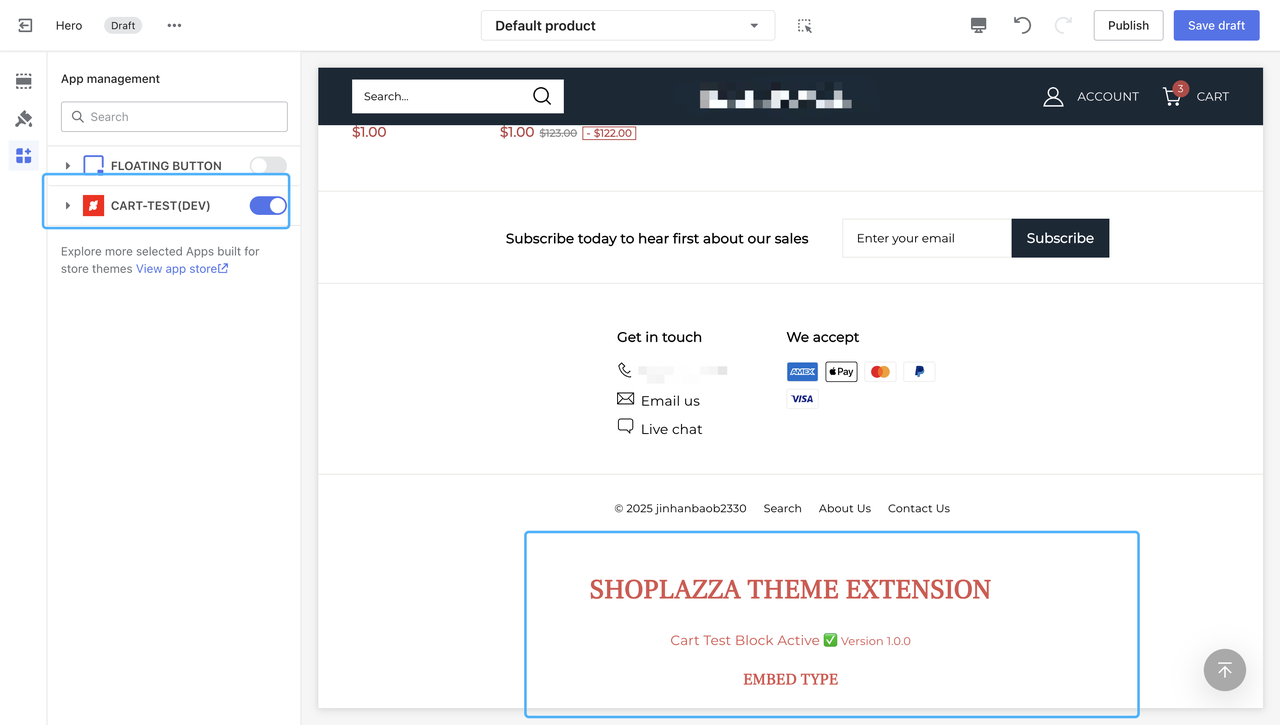
Embed App Extension:
- In the Theme Editor, go to "App Management", then enable the plugin in App Management.
- Once the configuration in the theme editor is complete, save the draft. You can then access the storefront preview link to preview the changes.
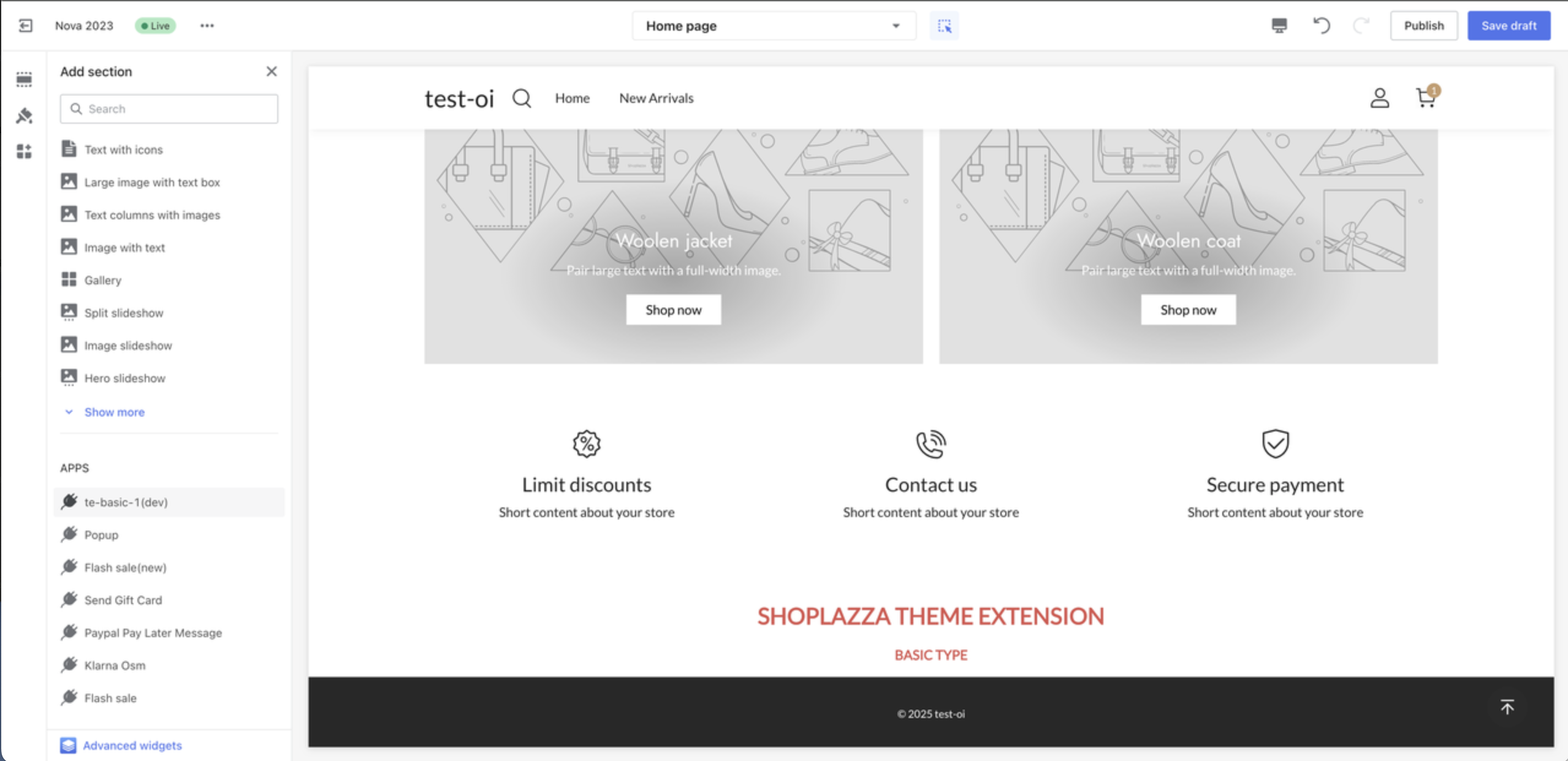
Basic App Extension:
- In the Theme Editor, go to "Add Block -> Apps", find the plugin that was launched in development mode, and click it. You will then see the rendered content of the plugin on the right-hand preview page.
- After adding the plugin to the theme, it is recommended to click "Save Draft" to avoid having to re-add the plugin after refreshing the browser due to code changes.
Updated 3 months ago