customers/login
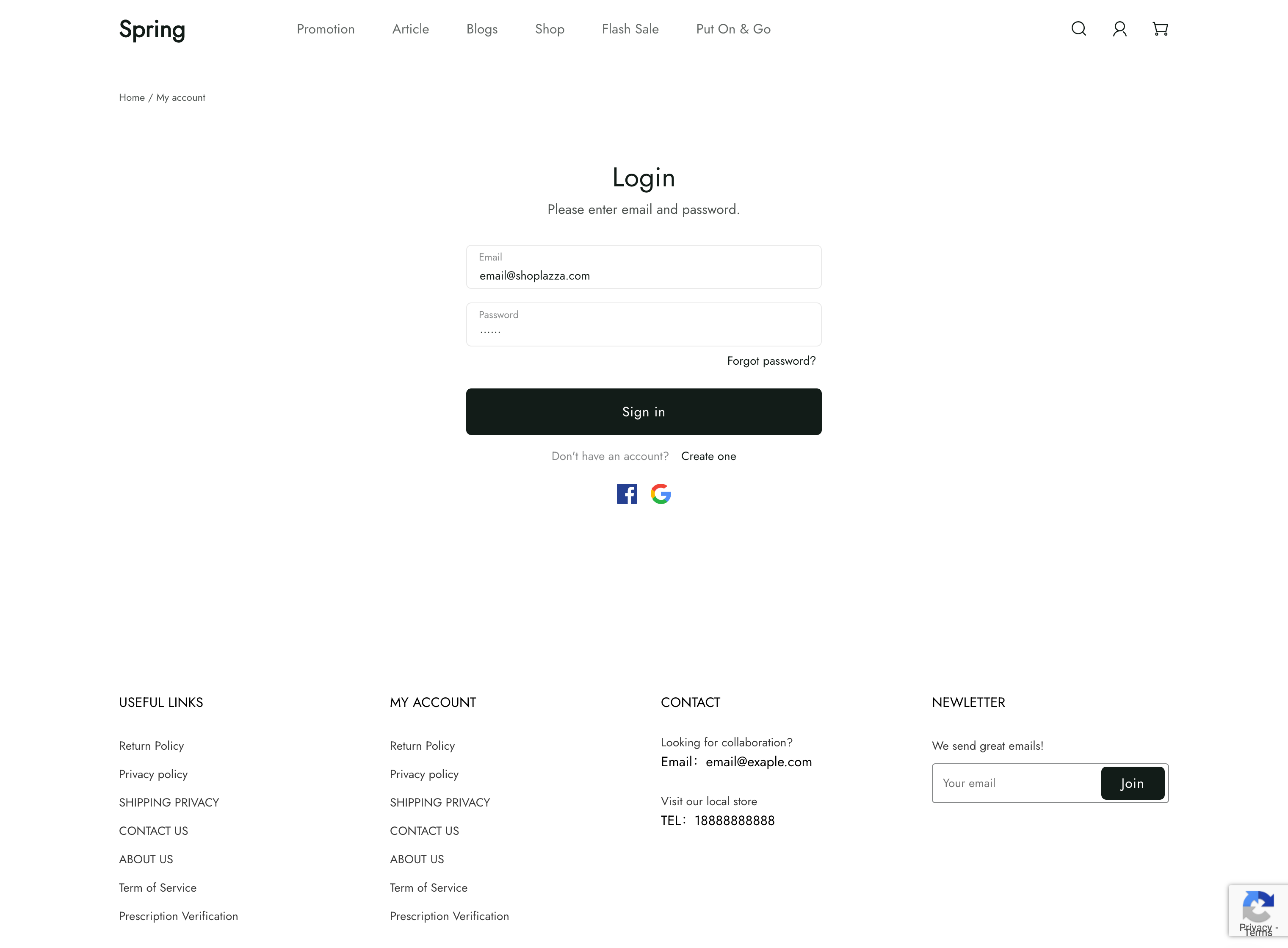
The customers/login template renders the customer login page, which hosts the form for logging into a customer account.
For the parameters and the response of the endpoint this form submits to, see POST /{locale}/api/customers/sign_in.
Location
The customers/login template is located in the templates > customers directory of the theme:
└── theme
    ├── layout
    ├── templates
    |   └── customers
    |     ├── login.liquid
    |     ...
    ...
Content
You should include the customer login form in your customers/login template or a section inside of the template.
You can include Forgot your password and guest checkout options.
The customer login form
The customer login form can be added to the form.
| Input | type | name |
|---|---|---|
text | email | |
| Password | password | password |
For example:
<form method="POST" action="{{ '/api/customers/sign_in' | add_root_url }}">
  <div>
    <label for="email">Email</label>
    <input id="email" name="email" />
  </div>
  <div>
    <label for="password">Password</label>
    <input id="password" type="password" name="password" />
  </div>
  <button type="submit" data-track="dj.login">Login</button>
</form>
Usage
When working with the customers/login template, you should familiarize yourself with the following:
Link to the login page
If the customer isn't logged in, then you can link to the login page. If the customer is logged in, then you can link to the order page instead.
{% if customer.id %}
  <a href="{{ routes.account_order_url }}">My orders</a>
{% else %}
  <a href="{{ routes.account_login_url }}">Login</a>
{% endif %}