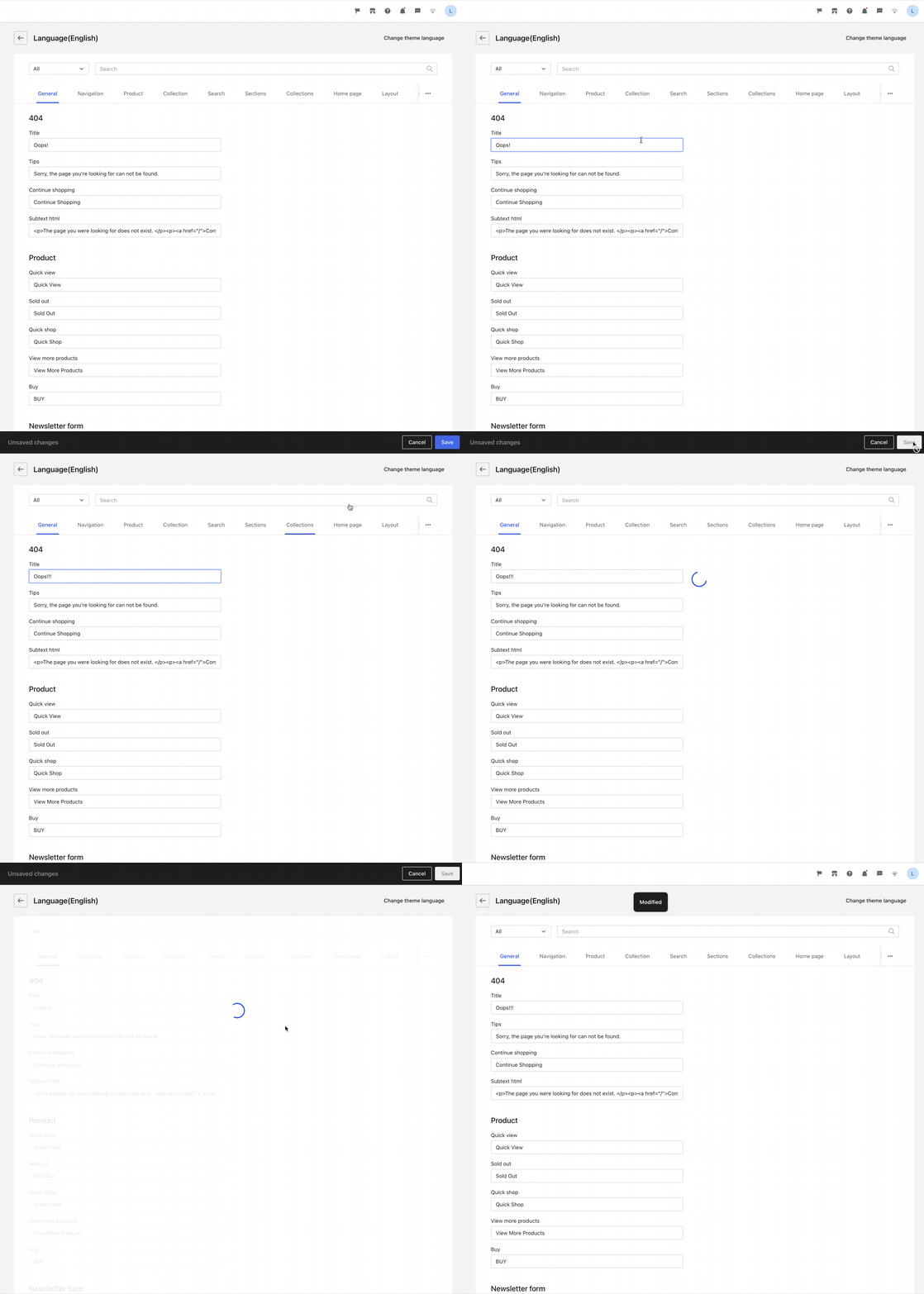
Language editor
The language editor is a page in Shoplazza admin that lets merchants view and edit the language for their themes.
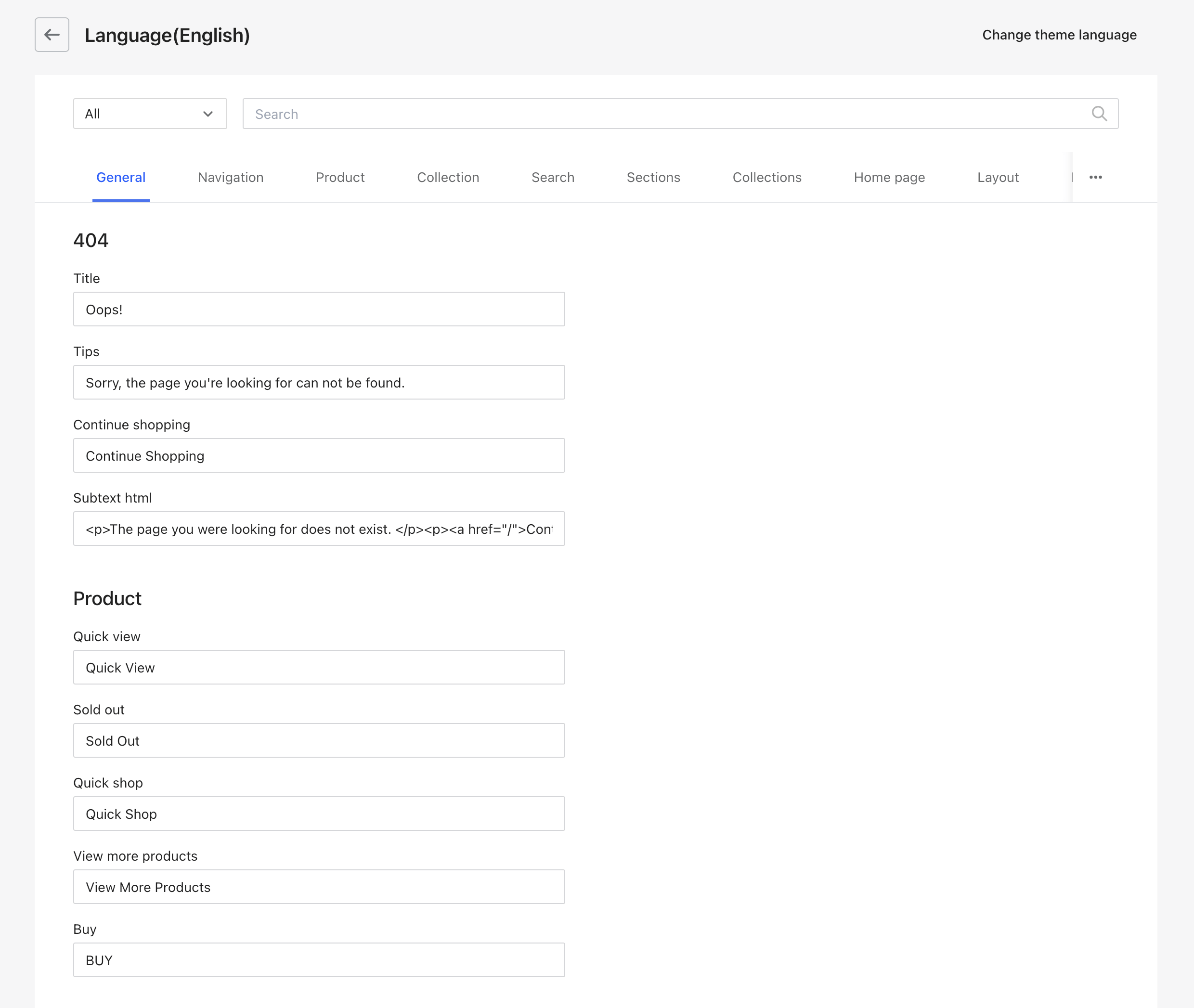
Accessing the language editor
- From your Shoplazza admin, go to Online Store > Themes.
- Find the theme that you want to edit, and then click ... > Edit languages.
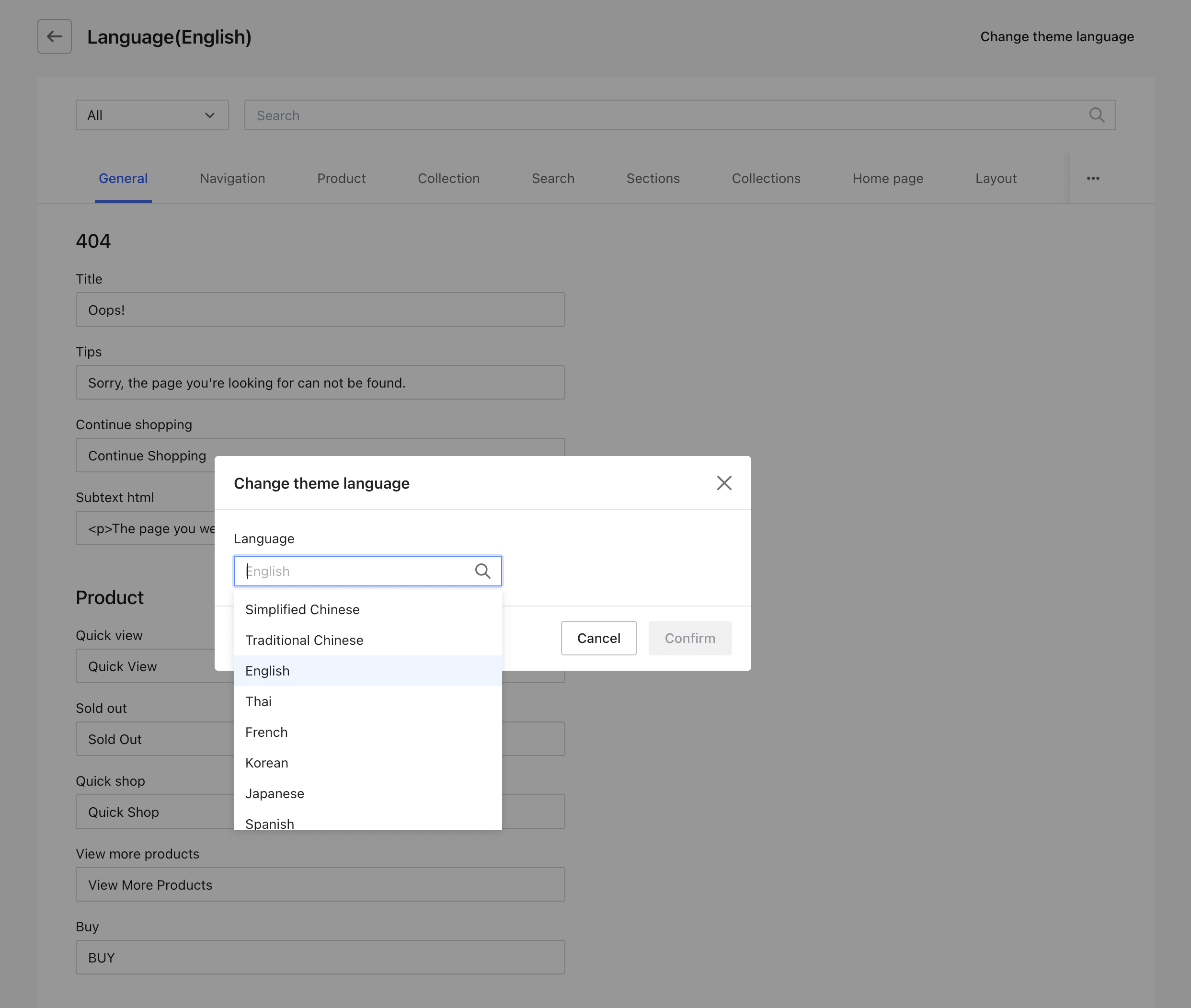
Changing theme language
You can change the theme language by clicking Change theme language. A modal opens and you can choose any language from the language list.
Updating default content
Any content you update will be displayed on the storefront theme in real-time after Save.