Understand Shoplazza apps
Shoplazza apps are cloud-based services that extend Shoplazza stores and merchant workflows. They can integrate with Shoplazza APIs, appear inside the store admin, add functionality to online storefronts, or support marketing, analytics, and commerce operations.
Merchants authorize app capabilities by installing apps into their stores. Installation is the main way merchants grant access, connect app features, and keep the integration controlled.
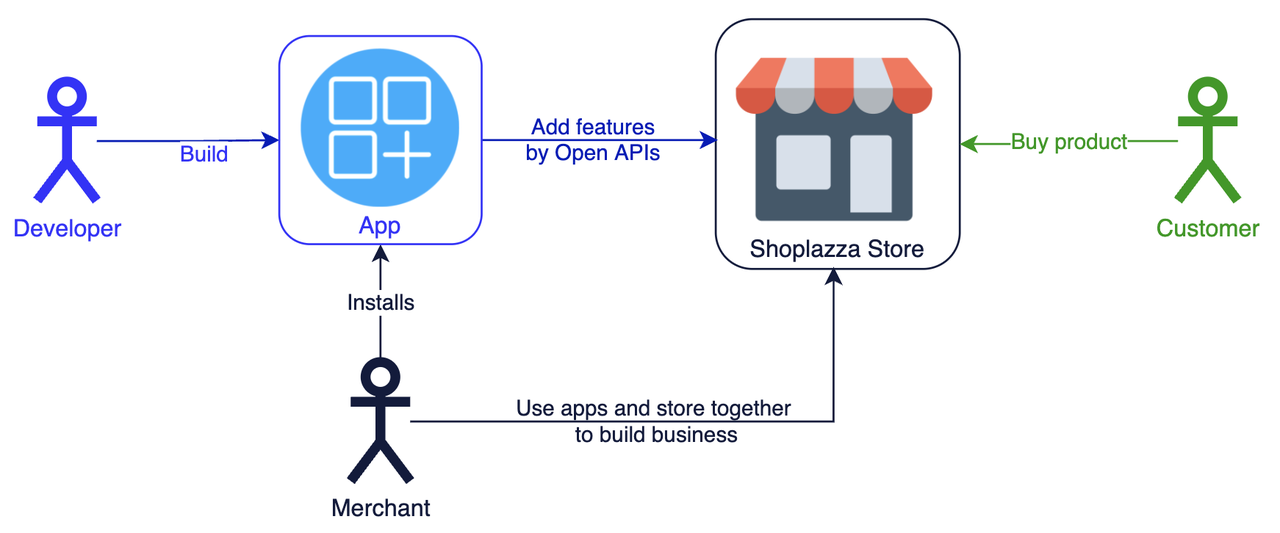
App development scenarios
Store Admin for Merchants
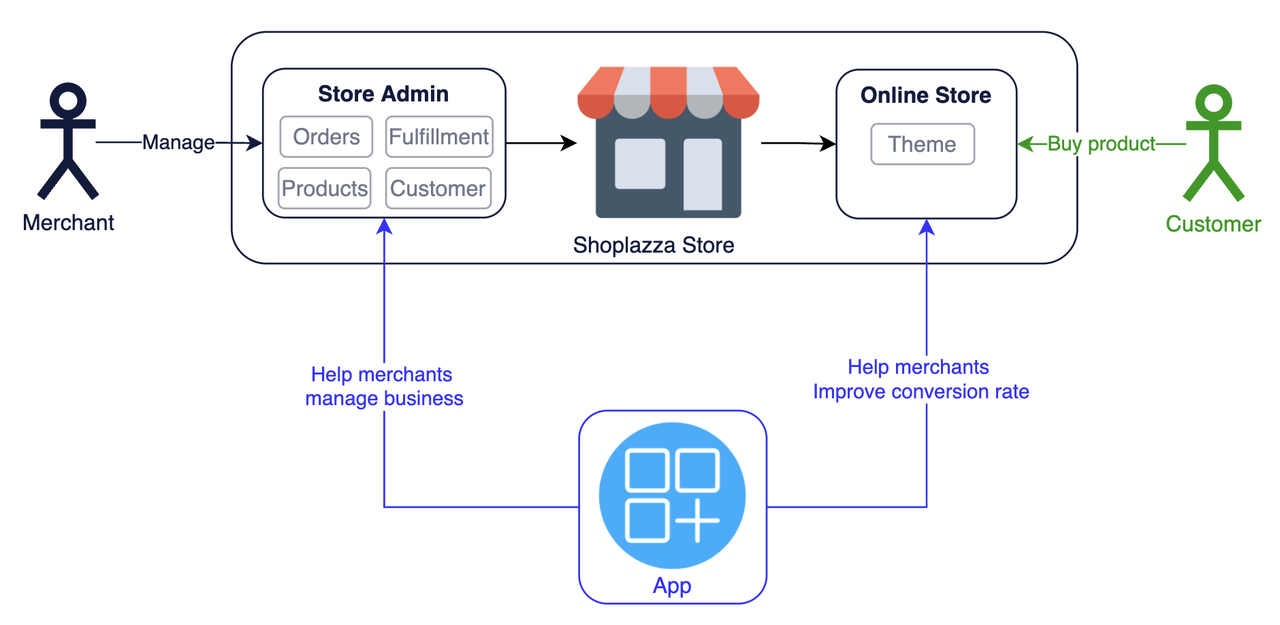
Store admin apps help merchants manage operations such as orders, shipping, products, and customer data. These apps can use Shoplazza backend APIs and embedded admin experiences to support day-to-day store management.
Online Storefront
Online storefront apps affect the customer-facing shopping experience. Apps in this scenario can use theme-related capabilities, storefront integrations, and script-based behavior to help merchants:
- Customize storefront experiences.
- Improve the shopping journey.
- Increase conversion opportunities.
Customer-Centric Marketing
Marketing and analytics apps help merchants reach customers, understand behavior, and improve retention. These apps usually focus on:
- Increasing customer retention.
- Driving transactions with personalized experiences.
- Turning business and user behavior data into merchant actions.
How Shoplazza Apps Fit These Scenarios
The diagram below illustrates how apps work across store admin, storefront, and customer engagement scenarios.
Next steps
- Go to Build apps to choose a build path.
- Start a CLI-based project with App Command Best Practice.
- Compare public and private apps in Application Classification.
- Use the public app or private app manual setup flow when you need the existing non-CLI process.