customers/addresses
customers/addresses template 渲染客户地址页面,允许客户查看和管理已保存的地址,以及添加新地址。
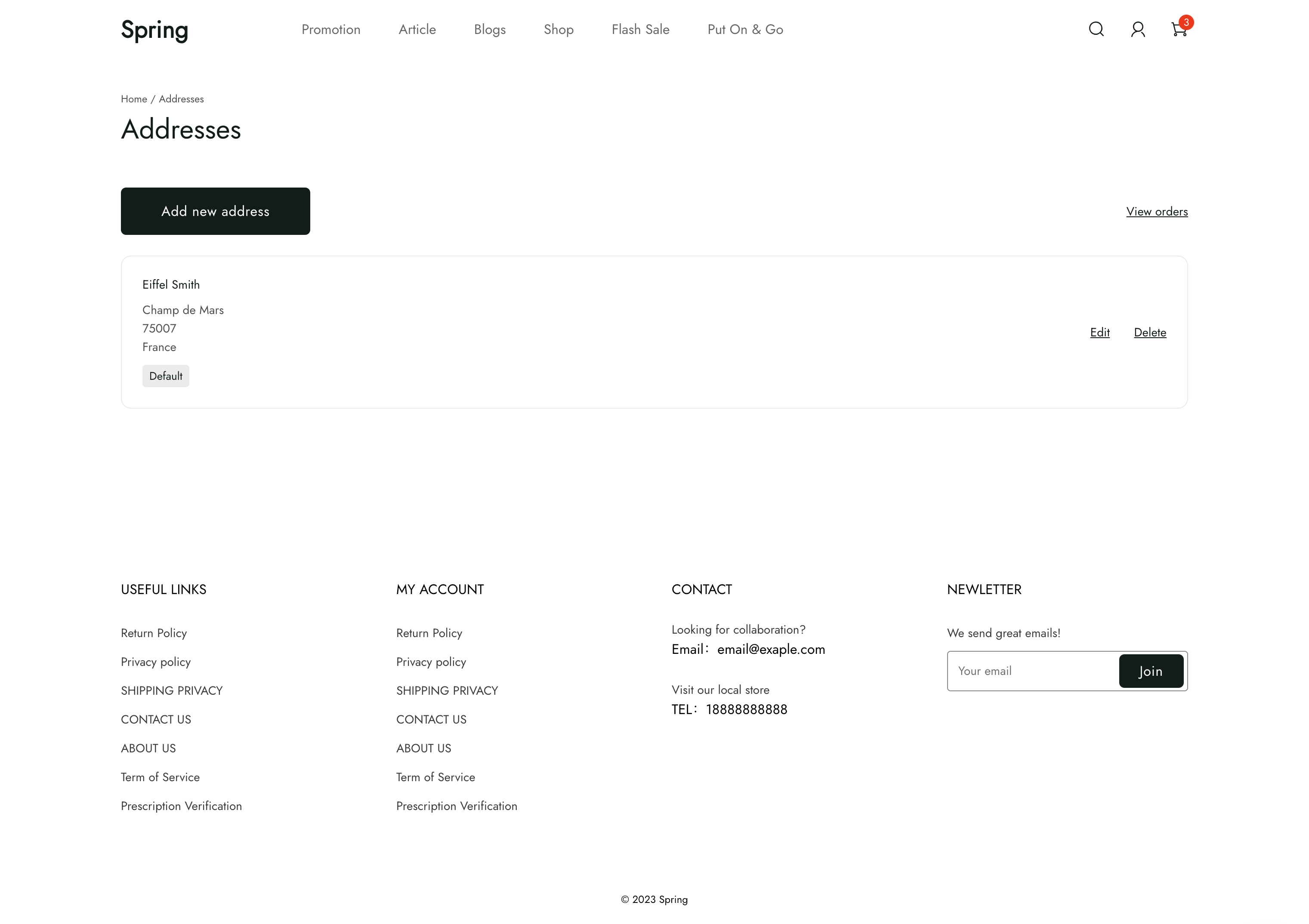
位置
customers/addresses template 位于 theme 的 templates > customers 目录下:
└── theme
    ├── layout
    ├── templates
    |   └── customers
    |     ├── addresses.liquid
    |     ...
    ...
内容
您应该在 template 的 section 中包含以下内容:
customer 对象
您可以访问 Liquid customer 对象 来显示客户账户的详细信息。
标准表单输入项
在添加或编辑地址的表单中,每个地址字段都有标准的表单输入项。下表列出了各输入项及其对应的 type 和 name 属性。
| 输入项 | type | name |
|---|---|---|
| First name | text | first_name |
| Last name | text | last_name |
| Company | text | company |
| Address | text | address |
| Address 1 | text | address1 |
| City | text | city |
| Country | select | country_code |
| Province | select | province_code |
| ZIP | text | zip |
text | email | |
| Phone Number Code | select | phone_area_code |
| Phone Number | text | phone |
| Is default | checkbox | is_default |
🚧 注意
每个地址字段的表单输入项必须使用上表中的
name属性,否则表单将无法成功提交。
使用说明
使用 customers/addresses template 时,您应该熟悉以下内容:
添加新地址
您可以使用 form 允许客户添加新地址。
<form method="POST" action="{{ '/api/customers/addresses' | add_root_url }}">
  <div>
    <div>
      <input type="text" id="firstName" name="first_name" maxlength="50">
      <label for="firstName">First name</label>
    </div>
    <div>
      <input type="text" id="lastName" name="last_name" maxlength="50">
      <label for="lastName">Last name</label>
    </div>
  </div>
  <div>
    <input type="text" id="company" name="company">
    <label for="company">Company</label>
  </div>
  <div>
    <input type="text" id="address" name="address">
    <label for="address">Address</label>
  </div>
  <div>
    <input type="text" id="address1" name="address1">
    <label for="address1">Apartment, suite, etc.</label>
  </div>
  <div>
    <input type="text" id="city" name="city">
    <label for="city">City</label>
  </div>
  <div>
    <div>
      <select name="country_code" id="countryCode" value="" required>
        <option empty value="" selected disabled>Country</option>
      </select>
    </div>
    <div>
      <select id="provinceCode" name="province_code" value="">
        <option empty value="" selected disabled>Province</option>
      </select>
    </div>
  </div>
  <div>
    <input type="text" id="zip" name="zip">
    <label for="zip">ZIP</label>
  </div>
  <div>
    <input type="text" id="email" name="email">
    <label for="email">Email</label>
  </div>
  <div>
    <select id="phoneAreaCode" name="phone_area_code" value="">
      <option empty value="" selected disabled>Area code</option>
    </select>
    <input type="text" id="phone" name="phone">
    <label for="phone">Phone</label>
  </div>
  <div>
    <input type="checkbox" id="isDefault" name="is_default">
    <label for="isDefault">Set as default</label>
  </div>
  <button type="submit">Add new address</button>
</form>
在表单内,您需要包含用于获取各地址字段信息的标准表单输入项。
删除地址
每个已有地址都应提供删除选项。您可以通过包含以下表单来添加该选项:
<form
  id="address-delete-form"
  method="DELETE"
  action="/api/customers/addresses/{{ address.id }}"
></form>
📘 提示
建议将上述表单与 JavaScript 结合使用,在实际执行删除操作前提示客户确认是否要删除该地址。