概述
Section 是 Liquid 文件,可让您创建商家可自定义的可复用内容模块。Section 还可以包含 block,允许商家在 section 内添加、删除和重新排列内容。
例如,您可以创建一个图文并排的 section,并排显示图片和文字,同时为商家提供选择图片、设置文字和调整展示顺序的选项。
Section 可以通过 Liquid template 动态添加到页面,为商家提供灵活定制页面布局的能力。包含在 Liquid template 中的 section 可以支持 app block,让商家无需编辑 theme 代码即可将应用内容嵌入 section。
Section 也可以[静态嵌入](),为静态内容提供上下文内联的自定义选项。
默认情况下,section 适用于所有 template。您可以在 section schema 中限制可访问的 template 范围。
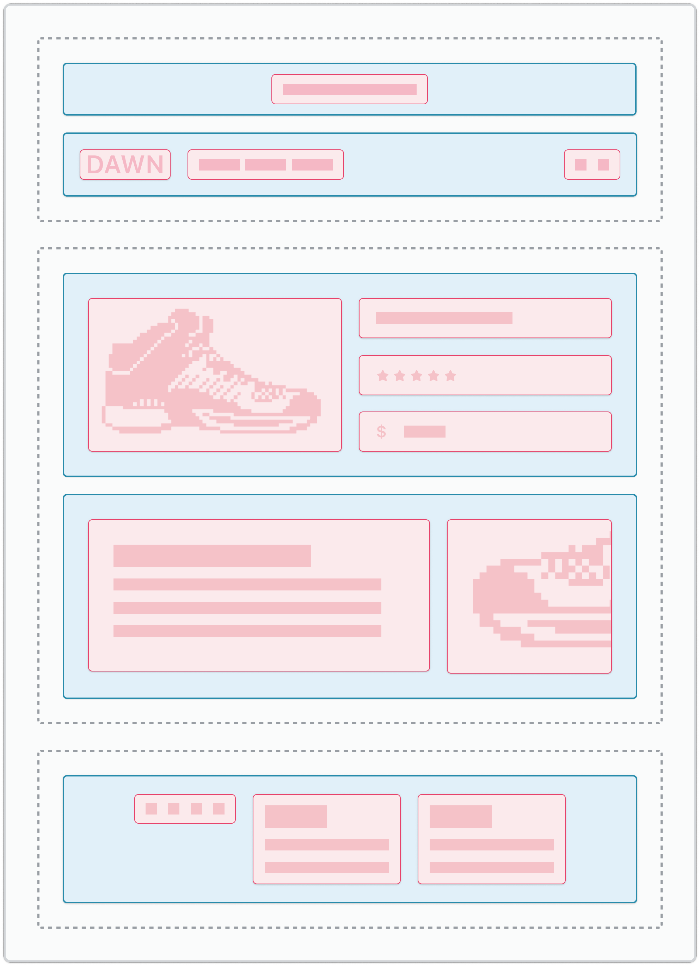
下图展示了 theme 主要架构组件,其中蓝色高亮为 section,红色高亮为 block:
位置
Section 文件位于 theme 的 sections 目录下:
└── theme
    ...
    ├── templates
    ├── sections
    ...
内容
Section 可以包含三种主要内容类型:
| 类型 | 描述 | 是否必填 |
|---|---|---|
| 主内容 |
您希望在 section 中包含的任何 HTML 或 Liquid 内容。
除全局对象外,在 section 外部创建的变量在 section 内部无法访问。
section 和 block 对象,以及在 section 内部创建的变量,在其所属 section 之外不可用。唯一的例外是当您在该 section 内部渲染的 snippet 中引用这些 section 和 block 对象时。
|
否 |
| 资源 |
Section 可以使用以下 section 专用 Liquid tag 打包自己的 JavaScript 和样式表资源:
更多信息请参考 Section 资源。
|
否 |
| Schema |
Section 支持 section 专用的
{% schema %} Liquid tag。该 tag 用于定义以下 section 属性和设置:更多信息请参考 Section schema。
|
是 |
使用说明
使用 section 时,您应该熟悉以下内容:
渲染 section
您可以通过以下方式之一渲染 section:
- 在 Liquid template 中引用 section。
- 使用
sectionLiquid tag 静态渲染 section。
静态渲染 section
您可以使用 Liquid section tag 静态渲染 section。
例如,要在 Liquid layout 中包含某个 section,可以使用 section tag:
<body>
  ...
  {% section 'header' %}
  ...
</body>
支持 app block
App block 允许应用开发者创建 block,让商家无需直接编辑 theme 代码即可将应用内容添加到 theme 中。
了解如何使您的 theme 与 app block 兼容,请参考 App block。