# Sidebar settings
> Sidebar settings add header and paragraph elements that organize and explain a Shoplazza Theme's input settings in the theme editor. See both types and their attributes.
Sidebar settings can’t hold a value and aren’t configurable. They’re informational elements that can be used to provide detail around your input settings and organize them.
Sidebar settings are composed of [standard attributes](/docs/theme/architecture/settings/sidebar-settings#standard-attributes). The following are the types of sidebar settings:
* [header](/docs/theme/architecture/settings/sidebar-settings#header)
* [paragraph](/docs/theme/architecture/settings/sidebar-settings#paragraph)
**tip**
If you want to add input settings, like a checkbox, then refer to [Input settings](/docs/theme/architecture/settings/input-settings).
## Standard attributes
The following are standard attributes across sidebar settings:
| Attribute | Description | Required |
| --- | --- | --- |
| `type` | The input setting type can be either [header](/docs/theme/architecture/settings/sidebar-settings#header) or [paragraph](/docs/theme/architecture/settings/sidebar-settings#paragraph). | Yes |
| `content` | The setting content will show in the theme editor. | Yes |
## header
A setting of type `header` outputs a header element to help you better organize your input settings. In addition to the [standard attributes](/docs/theme/architecture/settings/sidebar-settings#standard-attributes) of a sidebar setting, `header` type settings have the following attribute:
| Attribute | Description | Required |
| --- | --- | --- |
| `info` | An option for an informational text about the setting. | No |
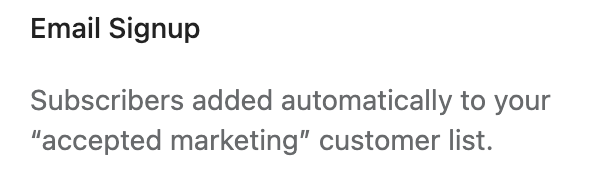
For example, the following setting generates the following output:
```json
{
"type": "header",
"content": {
"en-US": "Email Signup",
"zh-CN": "邮箱注册"
},
"info": {
"en-US": "Subscribers added automatically to your “accepted marketing” customer list.",
"zh-CN": "订阅者会自动添加到您的“接受营销”客户列表中。"
}
}
```
**Output:**
## paragraph
A setting of type `paragraph` outputs a text element to help you better describe your input settings. In addition to the [standard attributes](/docs/theme/architecture/settings/sidebar-settings#standard-attributes) of a sidebar setting, `paragraph` type settings have the following attribute:
| Attribute | Description | Required |
| --- | --- | --- |
| `style` | An option for a custom style for the paragraph content. | No |
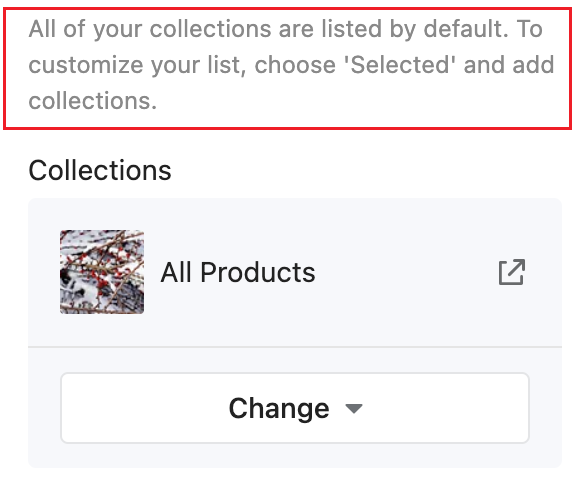
For example, the following setting generates the following output:
```json
{
"type": "paragraph",
"content": "All of your collections are listed by default. To customize your list, choose 'Selected' and add collections.",
"style": {
"color": "#898989"
}
}
```
**Output:**
## Create links
You can [add links](https://developer.mozilla.org/en-US/docs/Web/HTML/Element/a) to the `info` settings attribute by enclosing the link text in `` tag and then follow it immediately with the URL in parentheses.
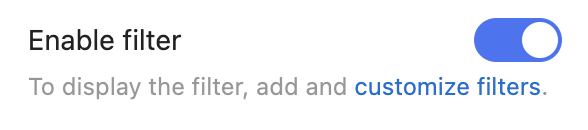
For example, the following setting generates the following output:
```json
{
"type": "checkbox",
"id": "show_filter",
"label": {
"zh-CN": "开启筛选",
"en-US": "Enable filter"
},
"info": {
"en-US": "To display the filter, add and customize filters.",
"zh-CN": "展示筛选器需要在后台添加筛选纬度。"
},
"default": true
}
```
**Output:**